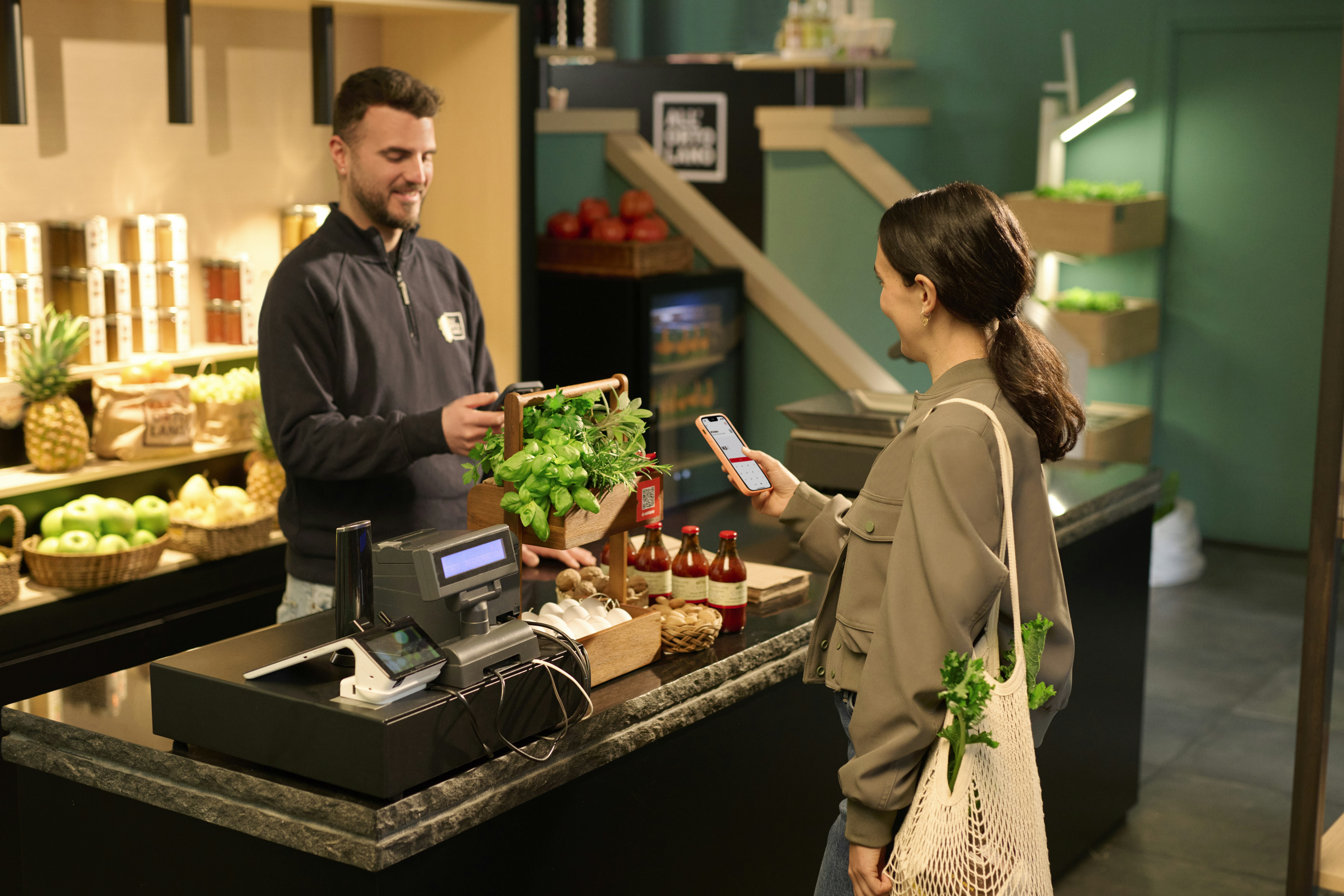
Pay in-store with Satispay

Easy, intuitive, and secure. Discover the simplest way to pay, already chosen by over 6 million people.

Pay for everything, every day

For purchases big and small, paying with the app is effortless.


With Satispay, you pay for everything from your smartphone: it’s the perfect solution, even when you leave your cards and cash at home, or want to focus on the things that truly matter.

What will you buy next?

Every purchase is a small piece of life that tells a story about you and your day. With Satispay, you focus only on the essential: think about your purchase and let it be the start of a new, wonderful story.


  • Flowers for Mother's Day
  • Groceries for dinner from your trusted local market
  • A pizza with friends on a rainy day
  • A well-deserved breakfast after the gym

Look around, Satispay is everywhere

  • Over 400,000 Italian stores accept Satispay. From bars and restaurants to pharmacies and clothing stores, just name a category: we’re already there.

  • Go to the 'Stores' section of the app and explore all partnered businesses near you, from your long-time favourites to new places you've yet to discover.

  • Satispay brings you closer: your all-time favourite store, or the next one you discover, will love calling you by name when you pay with the app.

Join millions of users

Our growth continues daily, with over 400,000 accepting stores. See a local shop missing? If you want to bring them on board, this is your chance.

It's easier than you think

Experience convenience that makes you regret not starting earlier. Just open the app on your phone and choose one of two ways to pay in-store.

01

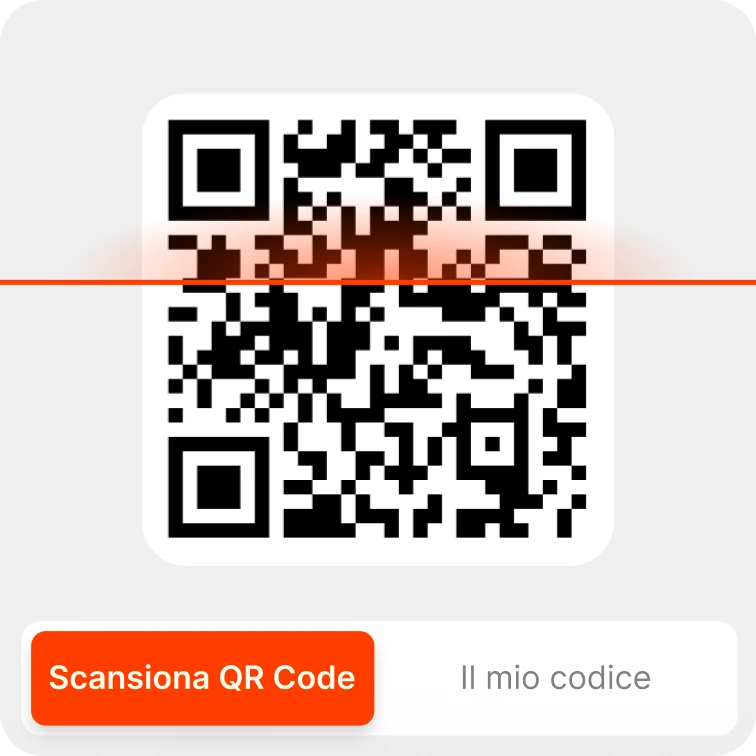
Scan the QR code or choose from the list

Open Satispay, select the store, or scan the code at the counter. Done in seconds.

02

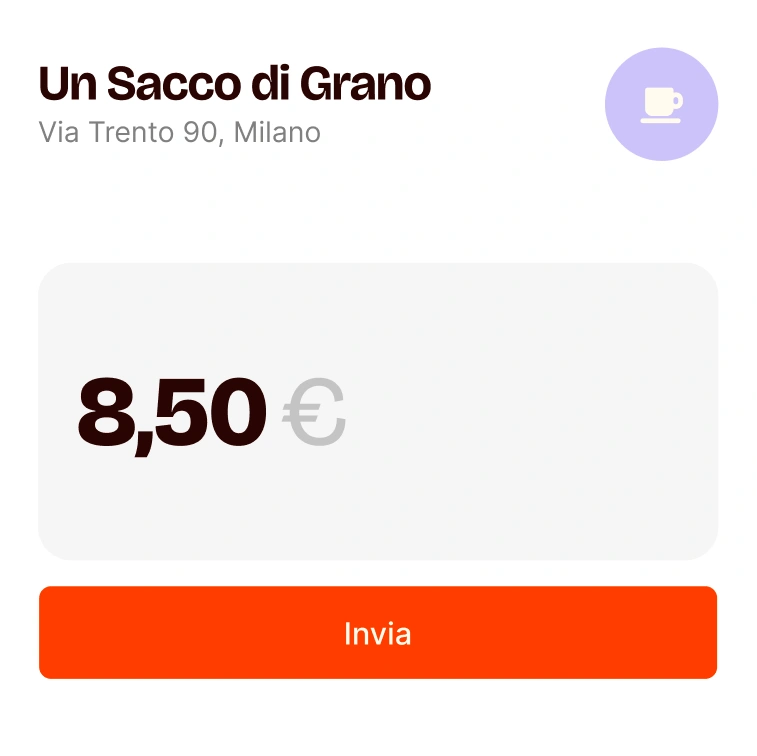
Enter the amount to pay

Confirm the total with the store and input the requested amount. It’s so easy!

03

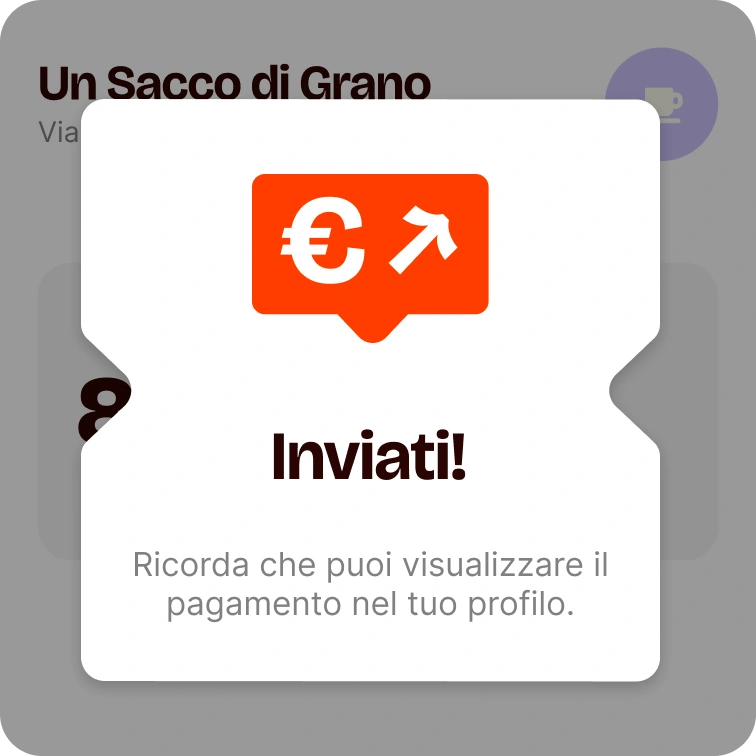
Confirm payment: success!

Press Pay... and voilà, payment is complete! You’ll see it appear in your transaction list in just a few moments.

Pay and get rewarded with Satispay Points!

Have you heard about Satispay Points? Every time you pay with Satispay, you accumulate points that you can turn into discounts at over 400,000 physical and online stores, as well as on in-app services. It's simple and rewarding!


  • Earn Points every time you pay with Satispay
  • Take advantage of Multipliers to earn points faster
  • Use your Points to get real discounts on your next purchases
Una donna usa i punti loyalty per fare la spesa con Satispay

The only way to truly know Satispay is using it. Ready to begin? Start now.

The bill, please

Every in-store payment you make with the app becomes a small part of your Satispay story. That's great on its own, but what if we told you it can also help you monitor your spending?

That’s right: from the app, you can keep track of all your movements in detail and filter the payments made at every single store.

And cash certainly doesn't do that.

Dedicated to those who forget their wallet

Lightning-fast payment via the app

Pay at your favourite shops using only your smartphone.

Go cardless and cashless

Fewer risks of theft and loss. You can leave everything at home.

Your Loyalty Cards on the Satispay app

Upload them on the app and carry them with you to use anytime.

Satispay: Secure in every way

Pay with confidence. We use security that exceeds banking standards alongside cutting-edge data protection.

Icon

Maximum security

Security that exceeds banking standards, coupled with cutting-edge encryption.

Icon

Zero Payment Fees

In-store payments with Satispay are always free of charge.

Icon

Customer support

Our dedicated support team is ready to assist you. We're with you every step of the way.

Start paying differently

Different because it’s easier. Immediate. Sign up and receive a 5€ Bonus² with the promocode WEB.

Common questions about in-store payments

In-store payment is our flagship feature 🎠


You have three ways to pay for your purchases:


  1. Using the QR Code displayed at checkout swipe right > scan the QR code > enter the amount > tap Send.

  2. Using the Dynamic QR Code swipe right > scan the QR code on the POS or self-checkout > verify the amount > tap Send.

  3. Using the Stores List select the store from the list in the App > enter the amount > tap Send.


Now it’s the merchant’s turn: within a few seconds, they will receive your payment and must accept it. As with any payment, the merchant will issue a fiscally valid receipt.


💡 You can check the payment status (in progress ✔️, accepted ✔️✔️, or cancelled ✖️) directly from the Profile section of the App.


🔔 Always wait for the merchant's confirmation before leaving!

All those you can find in the Stores section of the App 🛍️.


There you will find bars, supermarkets, clothing stores, and much more in your current area.


Want to find out if your favorite store or nearby pharmacies accept Satispay? Tap the search bar “Search stores or categories” and look for them by name or browse the categories!


💡 Always Update the app to the latest version available and allow GPS access to successfully view the stores near you.


To learn how to make purchases in stores, click here.

In the App's Profile - Transactions section!


To view it, just tap the transaction and click on Receipt. Use the Search Transactions bar to speed up your search 🔎


💡 If you are unable to view your receipts correctly, update the App to the latest available version.

As a singer said: “Don’t worry, be happy” 🙌


Check if the payment has been accepted by the store: go to Profile - Transactions and verify the status of your payment:


In progress a single checkmark ✔️ indicates that the payment has not yet been accepted, and you still have time to cancel it. Tap the payment and then Cancel.


Cancelled the gray ✖️ symbol indicates that the payment has been cancelled.


Accepted the two checkmarks ✔️✔️ indicate that the payment was successful.


💡If the payment has been accepted, request the refund directly from the merchant by showing them the receipt you can find in the App.

😁 If your Savings cover the payment amount: you will be able to complete the payment, and your Available Balance will become negative.


To bring your Available Balance back to a positive figure, you have two options:

  1. withdraw funds from your Savings
  2. make a top-up via bank transfer


😭 If your Savings do not cover the payment cost: you will be able to complete the payment, and your Available Balance will become negative. We will immediately process a free instant top-up* to bring your Available Balance back to €0.


Feature reserved for a limited number of users.


💡 We suggest you increase your Budget to avoid any inconvenience.

Got questions? We're ready to help

We’ve created a section that compiles some of the most frequent questions we receive about Satispay.

We are at your disposal for any additional information. Contact us.

Should you have any questions regarding our service for accepting payments please email us at business@satispay.com

Payment services are provided by Satispay Europe S.A., registered under no. W00000010 in the Register of Electronic Money Institutions at the Commission de Surveillance du Secteur Financier and under no. B229149 in the Luxembourg Business Register. Registered office: 53, Boulevard Royal, L-2449 Luxembourg.

Corporate welfare services are provided by SatisWelfare S.p.A., tax code and registration number in the Milan Business Register no. 12408640964. Registered office: Piazza Fidia 1, 20159 Milan.
Investment services are provided by Satispay Invest S.A. registered under No. P00000555 in the Register of Investment Firms at the Commission de Surveillance du Secteur Financier and under no. B285448 in the Luxembourg Business Register. Registered office: 53, Boulevard Royal, L-2449 Luxembourg.